Wednesday, January 15, 2014

Movies that are Terrible: Sgt. Pepper's Lonely Hearts Club Band.

I have a great idea! Let's make a movie based on what might be the Beatles greatest album!

And to keep it fresh and modern.

We will cast the BeeGees and Peter Frampton as Billy Shears and the Band.

What follows is pure opinion.
I make no claims to being an expert on movies, music, books, poetry, art, fashion or even having good good taste. I do not even claim to be all that mentally stable. If you happen to like this movie please do not take my dislike of the movie as an insult. However, you may want to seek professional help or get a job in Hollywood. 

Watching this movie is just painful.
What really causes pain when watching this movie is that when I watch it I keep thinking... This could have been so good. I really wanted this movie to be great when I was young. Yes I was only four when the Beatles broke up, but I have always liked the Beatles.


What went wrong?

The Music?
That would be an easy place to lay blame. Let's face it, trying to cover songs from Sgt. Pepper's is a bold thing for any artist to try. Many of the songs from the album are actually good and the sound track sold like hot cakes.  I think part of the problem might have been that they tried to tell the entire story with songs plus some narration by George Burns. Making it all fit together was just not really easy. Some songs seemed like they where just stuck in because you had to have them in the movie. One problem I had was they left out Lovely Rita. On the plus side a high point for me was Steve Martin's performance of Maxwell's Silver Hammer. It takes silliness to a level that has got to be seen to be believed. The fight between Maxwell and Billy Shears is a great tip of the lightsaber to Star Wars. 


The Plot?
The Plot is Sgt. Pepper saves the world from the evil greedy villain. It is over the top, silly, and typically Beetles. You want deep? Not going to happen but it is no worse than The Yellow Submarine. I do not think this is the problem.

The Look?
This is part of the problem. It just does not age well at all and was not all that good when first released. The 60s had a sort of natural look that while today is dated at least looks honest. The 70s were all plastic and glitter. Add in some really bad special effects and the entire things feels super dated. The best way I could describe it is to imagine that cocaine addicted Disco Fever Hollywood of the late 1970s decided to mix LSD with their cocaine. On the plus side Lady GaGa would fit right in.


The Cast?
Here is where the problem lies, made all the more tragic because a lot of the cast was wonderful.  A cast that includes Steve Martin, George Burns, Billie Preston, Alice Cooper, Aerosmith, and Earth, Wind, and Fire should have made this movie great! The problem is that Bee Gees and Peter Frampton just can not act. Every second the camera is on one of the them the movie dies a little. Here is probably the best example from the movie. It is the funeral of Strawberry Fields, Billy Shears true love. I have seen more emotion over a bad haircut.

The rest of the cast which are the supporting cast just point out just how bad the stars are! Just watch George Burn's face in the clip. He looks like a man that has just lost someone he cares about. That is why this movie is terrible. Not because it is all bad, but because it could have been so good. 

For me this was personal.
I was so excited to see this movie, I was 13 when this movie came out and was excited in the way only a 13 year old fan can be. I was expecting this to be the greatest movie in history. I was so excited to see it, but the movie was out of our local theater before I had the chance! I waited, and a year or so later, it was on HBO. I was so excited to finally get to see the movie. I finally saw it and it was awful. It was just so disappointing. If you want to see just how bad this movie is, I have good news for you. It is on Netflix streaming so knock yourself out.


Tuesday, January 14, 2014

Build your own Custom PC: HD and beyond gaming for $1200


Building Your Own Gaming Computer for $1200

Last week we built a PC that was targeted at providing a very good HD gaming experience for $850. Today, I am going to build a gaming computer that will provide a great gaming experience for less than $1200. This computer is overkill when using a single HD monitor, you should have no problems with games running with the settings to maximum. It will also game very well with multi monitor setup, say 3 HD monitors in surround. Or a high resolution 27" monitor. Not only that but this computer will give you a very powerful computer for just about any task like video and high resolution graphics editing. It would also make a good development machine as well.

Full HD and Beyond Gaming Computer for less than $1200

Price: $1200 (Price does not include mouse, keyboard, speakers or monitor.  It does take into account shipping and all available rebates.  It also include the cost of the Windows operating system) and can change at anytime.


Recommended Case

I am sticking with The Silverstone SST-RL01B-USB 3.0  that I used last week. You get dust filters for the fans, a CPU cutout on the mother board tray, and space to route your cables behind the motherboard. You will also get two USB 3.0 ports on the front of the case. It is a very good case for the money and works well for this kind of system.


Pros: Price, USB 3.0 front ports, room for large video cards, large CPU coolers, CPU cutout on the motherboard tray, bottom mounted power supply. dust filters and room for cable routing.
Cons: None at this price point.
Comments: Silverstone is known for making some of the best cases in the industry. This case offers most of the features you would expect from Silverstone but at a very low price point.


Recommended CPU

We are going to stick with the Haswell line of processors but we are going to step up to the i5 family.  Not just any i5, but the unlocked, over-clocking friendly i5-4670k.

Pros: Haswell True quad core. Runs cool. LGA 1150 compatible. unlocked and ready to overclock.  
Cons: This CPU lacks the hypertheading of the i7. 
Comments: The i5-4670k is $100 more than the i3-4130 used in the last build but offers 4 full cores and is fully overclockable. 

Recommended CPU Cooler

Your CPU may or may not come with a heat sink and fan.  If it comes with it, the one thing you can be sure of is that it will not be great.  The Hyper 212 Evo offers great performance for a low price. There is no real need to change get a different cooler.


Pros: Probably the best cooler for the price.
Cons: Too large for some cases.
Comments:  We are using a larger cooler with a CPU that puts out less heat. This will keep the noise level down. 

Recommended Motherboard

The i5 CPU used in this build is over-clocking friendly, so you can take full advantage of the Z87 chipset and over clock the CPU. A motherboard using an H87 or B87 chipset would have worked just fine and saved a little money but would have limited what you could do with over-clocking the CPU. If you need even more power for video editing you could install an i7 cpu and up to 32 gigabytes of RAM.  For an extra $20 or so you can get the ASRockZ87 Pro4 which supports Crossfire and SLI, if you want that option in the future.


Motherboard: ASRock Z87 PRO3 ($94.95 @ Newegg) 
Pros: LGA 1150, lots of SATA ports, four ram slots, 7.1 audio, and Z87 overlocking friendly chipset.
Cons: Does not support Crossfire or SLI so limited to a single graphics card.
Comment: A good over-clock friendly LGA 1150 motherboard. 

Recommended Memory

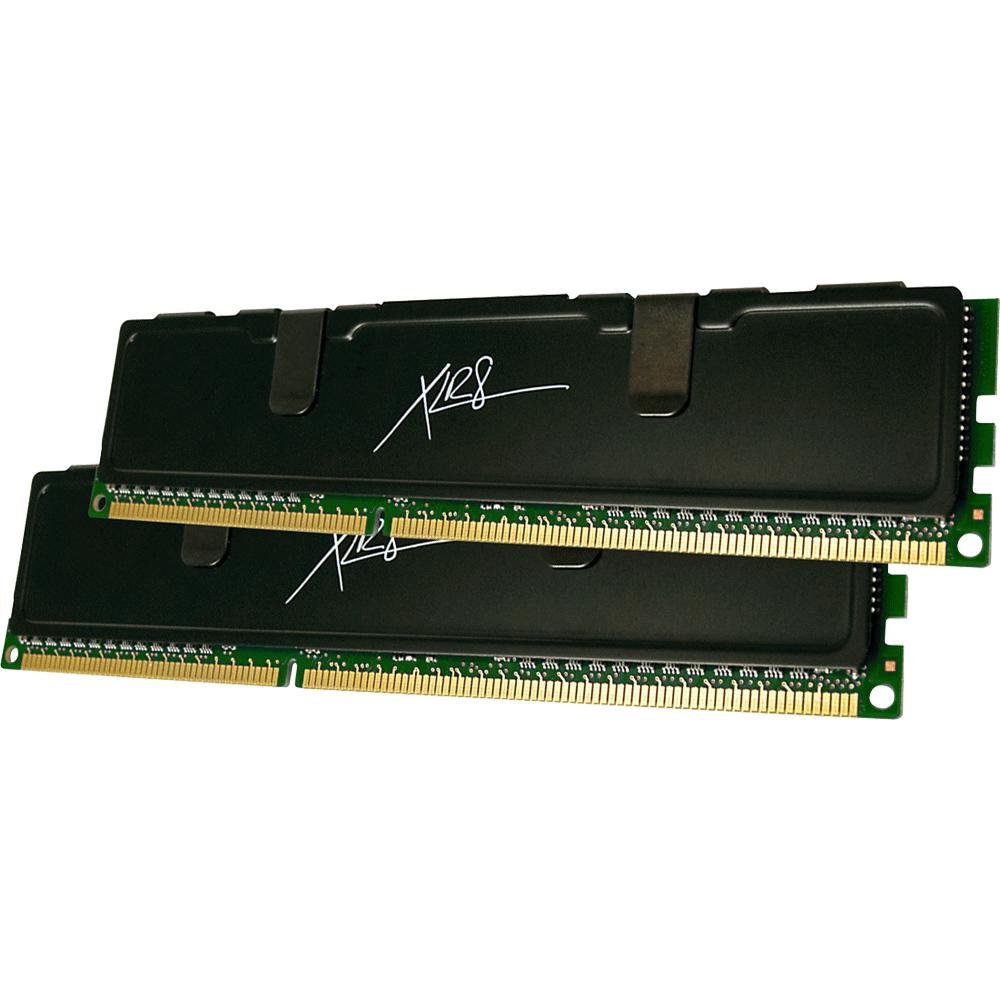
The extra budget for this computer means that we can boost up the memory to 16GB of ram. We now have more than enough memory for gaming and just about any other task that you may want to do with computer.


Memory: PNY XLR8 8GB DDR3 1600 ($145 @ Amazon)
Pros: Fast ram for the money.
Cons: None.
Comments: Good fast memory for the money.

Recommended Mass Storage

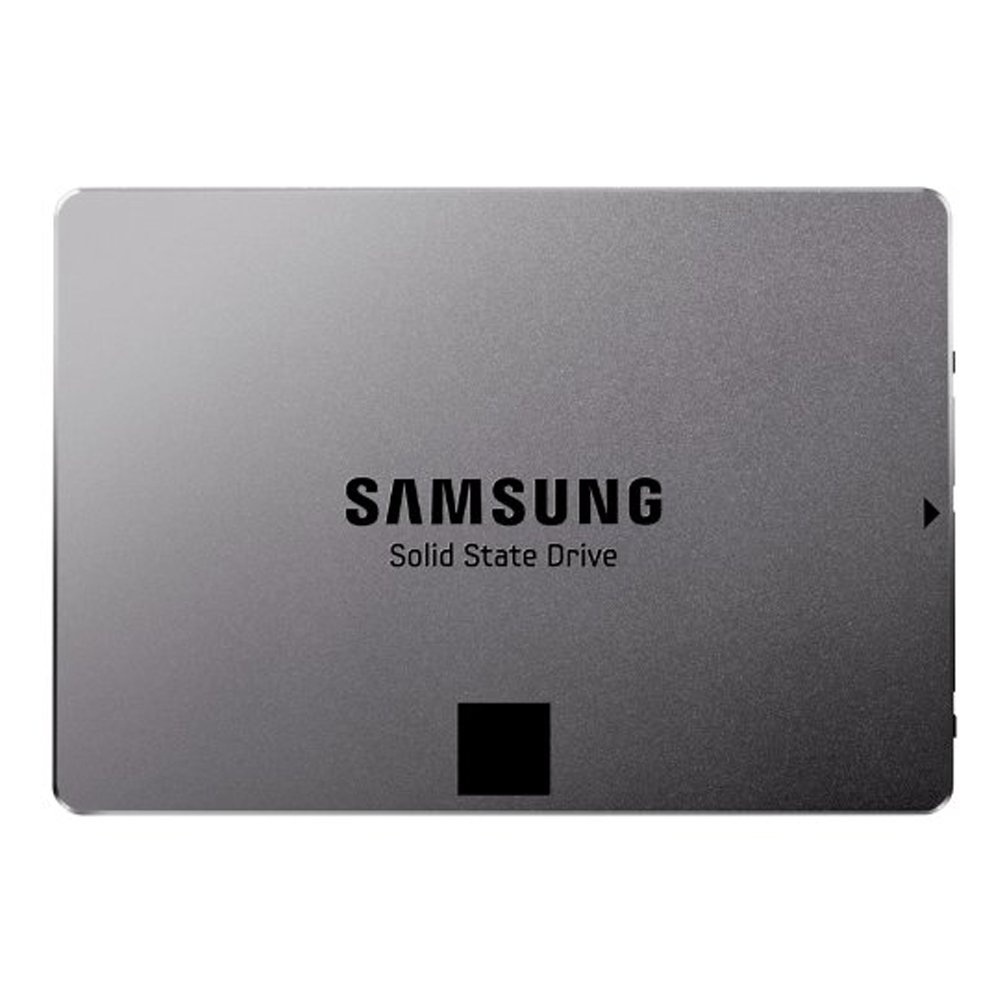
With our much larger budget we are going to step up to a 120GB SSD from Samsung. 


Solid state drive: Samsung Electronics 840 EVO-Series 120GB 
Pros: It is one of the most highly rated SSDs now on the market.
Cons: It is only 120GB. 
Comments:  Adding an SSD is one the best bang for the buck improvements you can do for you PC. 

Pros: The Caviar Green line offers a low power hard drive for a good price.
Cons: Not much is wrong with this drive. 
Comments: Probably one of the most popular drives on the market.

Recommended Graphics Card

With a larger budget we can look past using just one HD monitor. nVidia and AMD both offer technologies where you can use multiple monitors while gaming. Three 1080p monitors are the most common configuration. Large high resolution monitors are also becoming popular with very high resolution 27 monitors starting to come down in price to around $500. To drive those types of displays at high quailty settings you are going to want a more powerful graphics card. If you are going to use a single HD display this graphics card should allow you to turn your settings to max on most games with no problem.


Video Card: ASUS GTX760-DC2OC-2GD5 NVIDIA GTX 760 DirectCU II ($239.99@MicroCenter) 
Pros: Great performance at 1080p and above, good support for Linux, proably the best bang for your buck video card on the market
Cons:  Not any really..
Comments: Graphics cards tend to fall into two broad categories, reference designs and custom designs. This ia a custom designed card that comes with ASUS's Direct CU II cooler. This card will run cooler and quieter than a reference design GTX 760.


Recommended Power Supply

The same advice applies to this computer as every other build I have posted. Do not cheap out on your power supply. A bad power supply can destroy other parts of your computer.  The keys to choosing a good power supply are will it supply enough power and is it from a good company. The 80 plus bronze efficiency means that this power supply has been tested and does not waste power. We are going to take a big leap in power and cost for this computer and jump up to a 750Watt power supply. 


Pros: Good price, Bronze 80+ efficient,  and modular.
Cons: None really.
Comments: The extra power that this power supply gives you a bigger margin and the modular cables will help you keep your PC tidy.


Recommended Optical Drive

A lot of people do not use optical drives in their systems.  The problem is that unless you have some way to make a USB Windows install disk and/or you like to buy games on DVD instead of downloading them from Steam, having a DVD drive makes your life easier.  If you have an old optical drive from an older system you can put it in and save a few bucks.  Or you could buy a Blu-ray drive and have the option to watch your Blu-rays.


Recommended Operating System

I am not a fan of Windows 8, but Windows 8.1 is a big improvement over Windows 8 and if you want to be able to play the widest variety of games, you will need to use Windows.  The only bad thing is the cost.  Windows is now more expensive than the motherboard.  Ubuntu, and LinuxMint are options for those that are brave. Your selection of games will also be much smaller but the price is free. 


Conclusion

This computer will do just about any task you could imagine. It is compete overkill if you are only going to use a single HD monitor. You may want to add a BluRay drive, so you can rip your BluRays or even create your own BluRays.

Some sites that can help you pick the right parts for your own custom PC are 

Sunday, January 12, 2014

Random Thoughts: Your Utopia is not my Utopia.

Utopia scares the daylights out of me.

  There was a time when I wished I could live in a Utopia. When I was young, I thought that world was filled with stupid people. So many people seemed to be totally clueless. I dreamed of a world filed with smart people that thought like I did. It took me a while, but I finally grew up. I then noticed that all of the Utopias I saw where more or less terrible places to live, at least for me. Do not get me wrong, I do not think of the future as a terrible place. I am optimistic about the future and I will point out some futures that I would not mind living in. Here are some of Utopias that I think were meant to be hopeful but terrify me. 

H. G. Wells The Shape of Things to Come.


Let's face it, the fashions of H.G. Wells' Utopia are enough to give anyone nightmares. I for one do not want to wear a skirt, sandals, cape, and shoulder pads. The story is quite prophetic in many ways. He more or less predicts WWII, but we did not destroy civilization and thankfully we did not use biological weapons on a large scale. The cautionary tale part of the story is great. It all goes wrong for me when it all goes right for H.G. Wells. Once the Dictatorship of the Air stop the wars, they can put things right and make the perfect world. So what do they do?
  1. The suppression of all religions. Christianity, Islam,  Judaism, Buddhism, and Hinduism.
  2. People live underground with lovely artificial light, processed air, and everything nice and clean with out nasty weather or plants. 
I found his Utopia a cold, heartless place that looked like it came right out of Stalin's USSR.  I would not mind living in a space station but I would still want green plants, sunlight and a few windows. The idea of world with one culture and all differences stomped out is just not a world I want to live in. 

To Boldly Go. 


I grew up loving Star Trek but the universe of Star Trek had a dark, oppressive side. This episode called the Dagger of the Mind is a great example.

Federation reeducation camps.

In the Dagger of the Mind a mentally ill criminal uses tools that are meant to help people to torture people. So what is so scary. In the Star Trek universe we find that "criminals" have all been cured by drugs and other treatments. Just what crimes will get you treated? Doesn't is seem just a little too much like the reeducation camps so popular with totalitarian dictatorships. I am not sure that the idea that criminals need treatment is something I am comfortable with. Who decides what is a crime?

The Federation was full of Communists.

Yes they claim to have no money, no want, and everyone has everything they need. This got toned down in the later shows because even in fiction it just didn't work. In the Next Generation they had gambling. and of course money to gamble with. Deep Space 9 had Quark and Quark loved his money.

The Prime Directive or the White Spaceman's Burden.

The Prime Directive is a terrible idea. It treats thinking beings as if they are animals. It is cloaked with respect but it is just an abdication of responsibility. Think about it. You come across a planet, say at our level of development. and can offer them cheap clean power, cures for diseases, and the information that there are other worlds full of people. The reason is because the Federation decided that if you did not have warp drive you where not mature enough. In one of the episodes of Star Trek Enterprise the crew decides to let a species die of a plague. The reason is that they think it will allow a different species to evolve.  The idea is that the Federation does not want to "play God". This is just wrong to me. Isn't the act of deciding who is mature enough to help playing God? It also smacks of arrogance and predestination.

The Prime Directive was the ultimate in the haves and have nots. If you are a member of the Federation you had everything you wanted. The best healthcare, the best food, housing, and education. If you were not, well the Federation does not want to interfere with your cultures development. Your planet is poor and polluted? Well yes we have cheap fusion reactors but that might change how your culture develops. You have a plague killing millions? Well we do not want to interfere. Good grief!

Why there is no Utopia.
When an author writes about Utopia he creates his perfect world. The problem is that not everyone will fit in that perfect world. I do not care if it is Star Trek, Brave New World, The Shape of Things to Come, or Author C Clarke's 3021, all "perfect worlds" will not have room for imperfect people. Let's face it. We are all in some way imperfect and it is very likely Utopia will not have room for us.

So where do we go from here?
I think I will take a good imperfect world over anybody else's perfect world.

Saturday, January 11, 2014

Places to see in Florida:South Jetty Park Fort Pierce, Florida.

South Jetty Park Fort Pierce Fort Pierce Florida


South Jetty Park

Last week I picked a world famous aircraft museum Fantasy of Flight. This week it is a beach. Hey it is Florida and what is Florida with beaches?  The Fort Pierce Jetty has an interesting history. It is made of left over tank traps from WWII. During WWII the US practiced for D-Day on the beaches of Fort Pierce. 

What to do.

 You can see all sorts of wild life. The pelicans and other birds are actually ver use to people and will allow you to get very close. If you are lucky you may see manatees.
You can watch the boats coming home or heading out to sea. 
Watch a beautiful sunset.

Go fishing.

You may also sit on a bench and watch the ocean, go swimming at the beach next to the jetty, walk on the beach, or try one of the near by restaurants. 

Location


Hours

Open everyday and I am not sure it closes.

Price

Free


Friday, January 10, 2014

Favorite Websites: Voice of America

Voice of America


News sites and networks tend to drive me crazy. They often are very biased and seem to be more interested in number of views than in providing unbiased information. Well surprise!  I have found what I think is a good unbiased news site that is big on facts and short on opinion.

The Voice of America (VOA) started during WWII as a counter to Nazi propaganda. For some reason during World War II, miracle of miracles, the government actually seemed to do things the right way!  VOA to this day has kept to it's mission "to promote freedom and democracy and to enhance understanding through multimedia communication of accurate, objective, and balanced news, information and other programming about America and the world to audiences overseas.

Voice of America is available on-line and as a mobile app and still has that same high standards that Voice of America has had for decades. The site is pretty and clean and free of ads. The news is balanced, verified, and spin free. I feel that VOA is the BBC of the US, except that almost nobody in the US knows about it. 

Scorecard
The Rating uses G, PG, PG-13, and R while the other categories use A for the best that I know of,B for good but others might be better,C is average, D below average, and F is just terrible. 
  • Rating G Voice of America is fine for any age.
  • Quality A Voice of America is a professional news service run by professional journalists. 
  • Unbiased A That is the goal of Voice of America. It was created with a simple idea at the heart. If you tell the truth, people will trust you. Odds are some will not feel it is unbiased, but you can not make everyone happy. 
  • Community N/A Voice of America does not have forums at all. Which is great because let's face it most comments on news sites are pure rubbish.
  • Depth A Every bit as good as any news site.
  • Overall A I feel that Voice of America is one of those lost gems. It is a great news site if a little bland. The thing is I do not want anyone else to decide how to spice up my news. As Sergeant Friday used to say on Dragnet, "Just the facts".

More about Voice of America.

The wikipedia article about Voice of America http://www.voanews.com/

Thursday, January 9, 2014

Cat Free YouTube Channels: Tech Channels.

From WikiCommons https://upload.wikimedia.org/wikipedia/commons/0/04/Redsilver_Maine_coon_Kittens.JPG

YouTube Tech Channels

There are tech channels that cover just about every kind of tech. The channels that I am going to show you this week are going to be on the more geeky side of tech. These channels will tell about the next hot smartphone or game that is coming out. These channels are about making tech yourself plus a bit of wow that is cool. 

The Ben Heck Show


+Benjamin Heckendorn  became well known for his console mods like his portable Playstation. The channel contains build logs of his projects like a Video Game Controlled Hot Pocket Dispenser or robotic luggage. Don't worry if you do not know anything about electronics because his channel also has tutorials on things like soldering. So if you ever wanted to learn about electronics, this is the channel for you. If you don't, it is still a fun channel to watch just to see the cools stuff he makes. He is also family friendly.

DIY Tryin


+DIY Tryin is a great eclectic geeky channel. Yes it is very new, but the hosts are well known and respected. So far the videos cover subjects as varied as making your own home server to making carbonated anything including eggnog. I do not know where the channel will go but so far I am really enjoying it. So far it is also family friendly.

GeekBuzz


+Nixie Pixel maybe be a pretty face but she is also the very knowledgeable host of +Geekbuzz . GeekBuzz covers the Linux, the gaming space, Open Source, and just about all things geeky. It is always good to see women in tech but I am sorry to say that this channel is PG-13. That does not make it bad but a parent should decide if they want their kids and or teens to watch this. 

Hak5


+Hak5  is all about computer security, hacking, Linux, and all those cool geeky things that you see in the movies but for real. Yes it is family friendly and well done. What I love about this is Hak5 goes deep into the subjects. The hosts +Darren Kitchen and +Shannon Morse are fun, personable and very knowledgeable. 


TWIT's Know How


Know How is the how to show from the +TWiT  network. It is also available as a podcast as well as on YouTube but this is one of those shows that you will want to watch and not just listen. This show covers everything from putting ROMs on your phone to building your own studio. I am sorry to say that the original host  +iyaz akhtar left the show. The current host, +Fr. Robert Ballecer, SJ is great, but I will miss Iyaz. Sine the current host is a Catholic priest it is of course family friendly.

MAKE


Make is the YouTube channel of Makezine. It covers the Maker scene. It covers electronics, robotics, even building furniture. It is a professional channel with high production values and of course family friendly.

These are not the only ones. 
These are just some of the channels I have found and enjoy. So if you know of more geeky channels just leave them in the comments, and I hope you enjoy these channels.

Tuesday, January 7, 2014

Building your own Custom PC: HD gaming for $850

Building Your Own HD Gaming Computer

Last week we built a PC that was targeted at providing a good HD gaming experience for the least amount of money as possible. Today, I am going to build a gaming computer that will provide a great gaming experience for around 850 dollars.

Full HD (1080p resolution) Gaming Computer for less than $850

Price: $848.62 (Price does not include mouse, keyboard, speakers or monitor.  It does take into account shipping and all available rebates.  It also include the cost of the Windows operating system) and can change at anytime.

Today, 1080p monitors are the least-expensive and most common monitors on the market.  My goal with this build was to create a system that will play games well on these standard 1080p monitors as well being a good base for future expansion.

Recommended Case

We have more money to spend on this build and we are going to put more of that money into a better case. Silverstone has been building high quality cases for a very long time. The Silverstone SST-RL01B-USB 3.0 is a good step up from the Cougar Spike I used in the low cost build. So what do you get for the extra ten dollars? Actually, you get a whole lot. You get dust filters for the fans, a CPU cutout on the mother board tray, and space to route your cables behind the motherboard. You will also get two USB 3.0 ports on the front of the case. This case is a full ATX mini tower, so it will be larger than the Cougar Spike and it lacks USB 2.0 ports on the front. With the price hike on the Cougar Spike this case is only $10 more than the Spike, which I feel is $10 well spent.


Pros: Price, USB 3.0 front ports, room for large video cards, large CPU coolers, CPU cutout on the motherboard tray, bottom mounted power supply. dust filters and room for cable routing.
Cons: None at this price point.
Comments: Silverstone is known for making some of the best cases in the industry. This case offers most of the features you would expect from Silverstone but at a very low price point.


Recommended CPU

Today, Intel is the way to go once you are past the low end of gaming. The new Haswell line of CPUs are very power efficient and offer a great expansion path


Pros: Haswell duel core. Runs cool. LGA 1150 compatible. Hyperthreading. 
Cons: Not unlocked so over clocking is limited, only dual core, and more expensive than the Athlon X4. 
Comments: You will not see a huge performance increase over the Athlon X4 used in the budget build so why move to the i3? While you will not see a huge jump in speed by going with the i3 over the Athlon X4 you will have a system that runs cooler and quieter. The big advantage is that you can upgrade the CPU to the latest i5 or even i7 without getting a new motherboard.  


Recommended CPU Cooler

Your CPU may or may not come with a heat sink and fan.  If it comes with it, the one thing you can be sure of is that it will not be great.  The Hyper 212 Evo offers great performance for a low price.


Pros: Probably the best cooler for the price.
Cons: Too large for some cases.
Comments:  So we are using a larger cooler with a CPU that puts out less heat. This will keep the noise level down. 

Recommended Motherboard

Not only are we going with an Intel motherboard, but also an ATX motherboard instead of the an mATX like the last build so that there are more expansion slots available. There are less expensive motherboards that we could have used. The i3 CPU used in this build is not over-clocking friendly, so a motherboard using an H87 or B87 chipset would have worked just fine and saved a little money. However, for this build I wanted an upgrade path available. You could change this from a step up gaming system to real powerhouse gaming system by just changing the i3-4130 for an i5-4670k which is over-clocking friendly. Or if you need even more power for video editing you could install an i7 cpu and up to 32 gigabytes of RAM. You can get the the same motherboard as an mATX if you want to build a smaller version of this computer. For an extra $20 or so you can get the ASRockZ87 Pro4 which supports Crossfire and SLI, if you want that option in the future.


Motherboard: ASRock Z87 PRO3 ($94.95 @ Newegg) 
Pros: LGA 1150, lots of SATA ports, four ram slots, 7.1 audio, and Z87 overlocking friendly chipset.
Cons: Does not support Crossfire or SLI so limited to a single graphics card.
Comment: A good over-clock friendly LGA 1150 motherboard. 


Recommended Memory

When you are looking at memory you are looking at how much and how fast.  I went for 8 GB of ram for this build which may be a luxury. I have not found any game that requires more than 4 GB of memory.  A few games are now recommending 4 GB of RAM, so 8 GB should be a good amount for now.  Modern CPUs use multiple memory channels.  What that means is that they will run faster if you use two sticks of memory.  For that reason I went with two 4GB of ram for the best compromise between speed, size, and cost.  Finally go with memory from a good, well known company.


Memory: GeIL EVO Veloce Series 8GB ($66.99 @ Newegg)
Pros: Good value for the money.
Cons: The large heatsinks could cause problems with large CPU coolers.
Comments: Good fast memory for the money.

Recommended Mass Storage

Now that we are not going for the cheapest, we can have an SSD for the OS and games to boost your speed and a second hard drive for storing music and video. 


Pros: It is an SSD.
Cons: It is not the best SSD, but it will be fast and offers good value. 
Comments:  Adding an SSD is one the best bang for the buck improvements you can do for you PC. 


Pros: The Caviar Green line offers a low power hard drive for a good price.
Cons: Not much is wrong with this drive. You may want to buy a two or three TB drive.
Comments: Probably one of the most popular drives market.

Recommended Graphics Card

This is a gaming computer and the graphics card will in large part drive performance in games.  Today there are two companies that dominate the graphics card industry, AMD and nVidia.  Both companies make great GPUs.  They both have a number of GPUs at a number of price points.  You can spend a thousand dollars on a graphics card and even use two, three, or four graphics cards.  If you are only going to use one 1080p monitor for gaming, there is no need to go to such extremes and costs.


Pros: Great performance at 1080p, good support for Linux, good OpenCL performance.
Cons:  Not supported under the beta build of SteamOS.
Comments: AMDs new family of graphics cards offers a great price to performance ratio and offer much better OpenCL GPU compute performance than cards from nVidia. The lack of SteamOS support should only be temporary. 


Recommended Power Supply

Do not cheap out on your power supply. A bad power supply can destroy other parts of your computer.  The keys to choosing a good power supply are will it supply enough power and is it from a good company. The 80 plus bronze efficiency means that this power supply has been tested and does not waste power. So this power supply is powerful enough for this build, is from Corsair which is a good company with a good reputation, and is 80 plus efficient. In other words we are picking a slightly bigger and better power supply from the same manufacture.


Pros: Great price, Bronze 80+ efficient,  and modular.
Cons: It is only 500 Watts
Comments: The extra power that this power supply gives you a bigger margin and the modular cables will help you keep your PC tidy.


Recommended Optical Drive

A lot of people do not use optical drives in their systems.  The problem is that unless you have some way to make a USB Windows install disk and/or you like to buy games on DVD instead of downloading them from Steam, having a DVD drive makes your life easier.  If you have an old optical drive from an older system you can put it in and save a few bucks.  Or you could buy a Blu-ray drive and have the option to watch your Blu-rays.

Optical Drive: LITE-ON DVD Burner ($17.99 @ Newegg)

Recommended Operating System

I am not a fan of Windows 8, but Windows 8.1 is a big improvement over Windows 8 and if you want to be able to play the widest variety of games, you will need to use Windows.  The only bad thing is the cost.  Windows is now more expensive than the motherboard.  Ubuntu, and LinuxMint are options for those that are brave. Your selection of games will also be much smaller but the price is free. 


Conclusion

This computer is a bit more expensive than the budget computer from last week. What you get is a much better case that will make your computer look better, run better, and will be much easier to build. You also get an SSD which will make the system run much faster, a slightly faster CPU, and a better graphics card. Of course nothing is written in stone so if you want to you could use the motherboard and CPU from the budget build with the case, video card, SSD, and power supply from this build to save a little money.

Some sites that can help you pick the right parts for your own custom PC are