Saturday, January 25, 2014

Random Thoughts: Anti-nuclear protesters, please stop trying to kill people.

Anti-nuclear camp

They have good intentions but they are doing harm.
I do not want to paint the average anti-nuclear person as being evil. A lot of them think they are doing the right thing. However the facts do not back up their fear driven actions. The fact that they have actually stopped the building of reactors in the US for decades and are now shutting down reactors in other nations has cost and in the future will continue to cost lives. That is not what they want but it is the result of their actions.

A resent study by Pushker A. Kharecha  and James E. Hansen of the NASA Goddard Institute for Space Studies and Columbia University took a look at Nuclear power and how many lives it has cost compared to other sources of energy. What they have found is that Nuclear power has saved over 1.8 million lives compared to other sources of energy. 

Here is the paper for you to read for yourself Prevented Mortality and Greenhouse Gas Emissions from Historical and Projected Nuclear Power. From this paper we can see data that shows that every nuclear power plant not built has cost lives and contributed to greenhouse gas emissions. 

To put it into a nutshell, coal powered power plants cost the most lives and produces the most carbon. Natural gas is second in deaths and carbon emissions followed by nuclear. This accounts for all deaths including those from mining accidents, transportation, waste disposal, and power transmission. Here is the data from the report. 
electricity sourcemean value (range)unitbsource
coal28.67 (7.15–114)deaths/TWhref 16
77 (19.25–308)deaths/TWhref 16(China)c
1045 (909–1182)tCO2-eq/GWhref 30
natural gas2.821 (0.7–11.2)deaths/TWhref 16
602 (386–818)tCO2-eq/GWhref 30
nuclear0.074 (range not given)deaths/TWhref 16
65 (10–130)dtCO2-eq/GWhref 34
As you can see there are between 387 to over 1000 deaths caused by coal fired plants for each death caused by nuclear power. Natural gas is much better with only 38 times as many deaths as nuclear power. When you look at carbon emissions, coal produces over 16 times as much carbon for gigawatt hour and natural gas over 9 times as much carbon for gigawatt hour. 

What about Solar and Wind?
Well let's just get the big answer over with first. Not a single canceled or closed nuclear power pant has ever been replaced by solar or wind. Even in the state of Vermont which is known for being ecologically sensitive is replacing it's nuclear power plant with natural gas. 

Nuclear does not compete with solar or wind. Nuclear is a base-load technology and competes with coal and natural gas. Solar and wind are not suitable for base-load because their output fluctuates based on weather and not demand. Solar is not now, and unless massive improvements are made will never be, a viable replacement for base load plants. 

Wind as a base load solution.

Depending on location wind can be a workable base load solution. The midwest is rich with wind resources which is funny because that is also where the source of much of the natural gas and oil is located. It is also where much of our food is grown and the source for most ethanol and bio diesel. Wind is better at solar for a base load, but you still will need peaking plants burning natural gas for when the wind is not blowing or is blowing too hard. Yes, wind turbines have to shut down when the winds get too high, so too much wind is as bad as too little.  There are also siting issues. Do you really want wind turbines on every mountain top of every national and state forest? That is another advantage that midwest has for wind power. The majority of the land of the great plains is used for farming, ranching or just open grass land. Wind turbines do not interfere with those land uses. Good news is that wind farms are being built in the midwest. The down side is it takes a lot of wind turbines to replace one nuclear reactor. The largest wind farm in the US is the Alta Wind Energy Center in California. It covers thousands of acres and produces 1550 gigawatt hours of power. The Saint Lucie nuclear power plant, which is an average sized  nuclear power plant produces over 11,000 gigawatt hours. As you can see it would take 10 of the largest wind farms in the world to replace one nuclear power plant. That would mean 9000 very large wind turbines and well over 10,000 acres of land.

What about Three Mile Island, Chernobyl, and Fukushima?
Let's take those one at a time.
Three Mile Island
So far the studies of the people that lived around Three mile island has found no significant increases in cancer and no direct deaths. It is hard to tell for sure since the area has a lot of Radon naturally. But it is clear that any harm is so small that it is hard to detect.  Here is the report by Columbia University http://aje.oxfordjournals.org/content/132/3/397.abstract.
Chernobyl
Chernobyl is a different story. Officially 33 are listed as killed but could be as high as 3000. The reactor design used at Chernobyl was, to be blunt, terrible. It was never safe and no western power reactor ever used that type of design. It also lacked any type of containment building. Should anyone build a reactor like that again? No. Should the existing ones be shutdown? Yes. Western power reactors are all light water reactors with containment buildings. They can not fail in the same way. 
Fukushima
Death toll from radiation is zero. As bad as Fukushima was no one has died from radiation. How they manage clean up will really tell the story. The problems at Fukushima were caused by the backup generators being flooded. The reactors were actually undamaged by the quake and tsunami that followed. When looking at Fukushima it is important to look at the scale of the disaster, 18000 people were killed by the tsunami and over 400,000 left homeless but none died from radiation. 

What about the waste.
The answer to the waste is recycling. Fuel recycling reduces the mass of the waste and the amount of time it has to be stored. Today fuel recycling is more expensive than just using new fuel. I agree that just sticking spent fuel in Yucca mountain is not a good plan at this time. Dry cask storage while not popular is probably the best plan available today. If in the future recycling is still not practical than vitrification and storage in Yucca mountain may be the solution. I know this is not a popular solution because it feels incomplete but I believe it is the best course of action at this time. 

The future of nuclear reactors.
Today the most advanced commercial power reactors in the US are only second generation reactors. In the rest of the world gen 3 and gen 3+ reactors are in already use. The US has produced gen 3 and gen 3+ reactors but have built them in other nations.While the current generation of reactors have a good safety record the gen 3 and 3+ are much safer and use less uranium so produce less waste. Work has already started on gen 4 reactors that are even safer and more efficient than the gen 3. A reactor that holds huge promise is the liquid fluoride thorium reactor. 

Thorium.
Thorium holds great promise as the fuel of choice for future reactors. Thorium its self is not dangerously radioactive. It was used to make lantern mantels burn brighter. You can not make a bomb out of thorium and it is free. How can it be free? It is a waste product from the production of the rare earth metals used in hard drives and the motors of electric cars.  If the US mined all the rare earths that we use there would be enough thorium produced to power the US with ease.  The most exciting reactor design is the liquid fluoride thorium reactor. The US built a liquid fluoride salt reactor in the 70s and it worked well. It also featured "walk away safety", you could literally shut the power off and walk away with the reactor in any state and it would shut it's self down safely.  Currently China and India are moving ahead with thorium reactors using the research done in the 1970s in the US. 

Fusion?
Today Fusion is not practical. Let's be honest, the joke is that fusion is always 20 years away and has been for the last 60 years.  There are some exciting new ideas in fusion research that may actually pay off in the near future. The first is the Pollywell reactor invented by Robert W. Bussard and funded by the US Navy. So far the Navy has been happy with the results of the research and have continued to fund the research.The other reactor that is very interesting is the high beta fusion reactor being developed by the Lockheed Martin Skunkworks. The claims that Lockheed Martin are making are hard to believe, they are promising a working prototype by 2017 and production by 2022 and the ability to meet the world's energy needs by 2050.  Frankly if it was any other company than Lockheed I would not believe a word of it.  Lockheed is the company that built the US's first production jet fighter, the first spy satellite, and the world's fastest airplane the SR-71. The number of times Lockheed has done what everyone thought was impossible is impressive, so maybe they will do it again.

So what is my answer?
Working with the technology currently available I would start with replacing all coal fired plants with nuclear power plants. That alone would cut the US's carbon output by about 40%.  Keep increasing the investment in wind farms in the midwest and solar. Ideally, we want to replace all base load power plants with nuclear with wind, solar, and natural gas as peaking loads. Once we have enough clean, cheap power things get really interesting. With excess power the production of synthetic natural gas, gasoline, and diesel fuel becomes practical as does producing fresh water through desalinization. 
Be positive not negative. 
If you care about the environment and climate change be positive. Be pro-solar and wind not anti-nuclear. Nuclear really does not compete with wind and solar, it saves lives, and reduces carbon. The safety record of nuclear is very good. I know that people fear nuclear power but the facts do not support their reactions. Even one or the co-founders of Greenpeace Dr. Patrick Moore has changed his stand on nuclear energy. As always, just read the reports and the links and decide for yourself. Some people will never get over their terror of nuclear power but I hope at least some people can do so.





Thursday, January 23, 2014

Cat Free YouTube Channels: TastyPCTV

TastyPCTV

A PC parts review show.
For people that are really into building their own PC, review sites and YouTube channels are their mains source of information. TastyPCTV is a little bit different than most. The big difference is the host Lauren. Yes, she is a very pretty young women but she is also the real deal. She is into gaming and building her own rigs. She also does not have your typical hot geek girl look. She goes more for the classic girly, very feminine,  and dare I say it princess look. It is probably more the movie star look from the 1930s and 1940s.  I happen to think that it is great that Lauren has decided not conform to the stereotype of the cute geek girl. While some might not agree, I think Lauren is doing a great service by showing that you do not have to look a certain way to be into technology. Yes, you can be very pretty and feminine and still build a water-cooled gaming rig. I would watch this channel even if Lauren was not so attractive. Frankly I am an old married guy so what she looks like doesn't really matter to me but the quality of her reviews do. She does a good job no matter what she looks like. 

Scorecard The Rating uses G, PG, PG-13, and R while the other categories use A for the best that I know of,B for good but others might be better,C is average, D below average, and F is just terrible. 
  • Rating PG Little kids will probably not like this show but there is nothing wrong with the language. She does dress in a way that draws attention but no worse than you see in the mall.
  • Quality B-  Production quality is good but not great. The quality of the information is good.
  • Community C- The community on youTube Channels are often terrible. TastyPCs is  about average for YouTube. The minus comes from the sexist and rather rude comments. 
  • Depth C The show only has a few sponsors so Lauren does not get all the newest parts.  She does do very well with cases, water cooling, and mainstream enthusiast motherboards. So far she has not done much with high end LGA 2011 motherboards and CPUs. If you are looking for tutorials on over-clocking, look elsewhere. Lauren does a great job covering what the average PC builder is interested in.
  • Entertainment Value B  I enjoy this show and it is worth watching if you are into building PCs. Lauren is really young and is just getting started, so I have high hopes she will just get better and better. 
  • Overall B I really like this show and think it is worth watching. 
Where to watch it

You can find TastyPCTV here on YouTube,  here on the web, and at TastyPCTV on Google+.

What I think of this show

The reviews are good and pretty complete in nature and balanced. Her production values are a bit hit or miss at times, but over all it is pretty good. The one negative is that she does not seem to publish new content on a regular basis. That is understandable since TastyPCTV has a small production team. I am not sure but I think it may be a one woman show.  Overall I think it is worth watching, just be ready to tune out the sexist remarks. 

Update 2018

Since I wrote this Lauren has had a number of personal issues and stopped producing vidoes for a while. She has anounced that she is trying to come back and start producing content. I hope she can pull off her comeback. 

Wednesday, January 22, 2014

DYI Tech: How to upgrade your old PC.

Compaq Presario 5000

Don't throw out that PC just yet.
A lot of people will just throw out old PCs when they start getting slow. In most cases simple maintenance or a few key upgrades can get an older PC running better than new.

Before starting
  1. Back up your data. You should be doing this anyway but it is a good time to make one more backup.
  2. Find out about your computer. CPU-Z is a great program that will tell you all about your CPU, memory, and graphics card. 
  3. Find out what kind of hard drive your computer supports. If the computer is even close to modern it will use SATA. If not you might really just want get a new computer.
  4. Decide what you are going to use the computer for. Just a general use surf the web computer, gaming, editing graphics and video?
The following suggestions are for both notebooks and desktops.

Do the free stuff first
  1. Clean off your hard drive. Get rid of all the old stuff you do not use or need anymore that includes old programs you do not use anymore.
  2. After you have deleted everything you do not need run chkdsk to see if your hard drive is healthy. 
  3. Scan for malware and adware. 
  4. Defragment your hard disk.  Here are tutorials on how to defragment.  Windows XP Windows7 Windows8
Next upgrade your Operating System if you can.
WARNING: Plan on your hard drive being erased. Back up all your data! If your data is not erased great but no one has ever been sorry for having a good resent backup.  
If you are using Windows XP or Vista you should upgrade to Windows 7 or Windows 8. Windows 7 requires a CPU that runs at 1 Ghz or higher and at least one gigabyte of ram for the 32-bit or 2 gigabytes of ram for the 64-bit version. If your CPU will support the 64-bit version and you have the RAM then you should get the 64-bit version, if you do not have the ram get it. Windows 7 and Windows 8 have very close to the same hardware requirements, the choice of operating system is up to the user. Even if you do not want to upgrade your operating system doing what is called a "Nuke and Pave". A nuke and pave is formatting the hard drive and reinstalling windows. A fresh windows install can do wonders for an old computer.

Upgrade your memory.
If you have 4 gigabytes of memory then stop. Unless you are going to do a lot of gaming and or editing pictures you are probably good at 4 gigabytes. If you still want to upgrade your memory, 8 gigabytes is ideal amount of memory for most users. Here is a tutorial showing how to install memory on a desktop computer.


As you can see it is not all that hard to do yourself.

Laptops are a bit harder so you should always check your manual on how to upgrade the ram. If you have lost the manual do not worry odds are it is available on-line so let Google be your friend.
Here is a video showing you how to upgrade ram on a laptop.

Install a solid state drive (SSD)
Adding an SSD to your computer is probably the best way to boost performance. Desktops easily support multiple drives.  Adding an SSD to a desktop is usually very easy. An inexpensive, small SSD of around 60 gigabytes can be used for the operating system and possible some applications giving a big increase in speed. Laptops are a bit trickier because very few have room for two drives. For a laptop a single SSD single larger SSD is usually the only option.  SSDs are still more expensive than conventional hard drives so the user have to live with a smaller drive in your notebook. Do a fresh install to the SSD to get the best results. Here is a tutorial on how to set up an SSD as a boot drive. 


Install a graphics card
This is only an option for desktops. Most computers you buy today use integrated graphics which are terrible. The exception to that rule are the AMD APUs which have okay gpus built onto the chip. So if you are going to want to game on your computer you will need to add a video card. Tom's Hardware does a monthly graphics card review here. Pick the card in your price range and install it. If you have a really old computer or a Celeron, Pentium, Core2Duo, Atom, Sempron, or other low end cpu then do not spend a lot of money on a graphics card as your CPU will just slow it down. Over all I recommend the Radeon 7770 as a good card for most people that want to get into gaming. You will also want to check your power supply can handle your new graphics card. Of course here is a video on how to install a graphics card. 


Conclusion
Just because you computer is getting slow does not mean you have to buy a new computer. Adding an SSD or upgrading the operating system can make a big system. Security updates and patches for Windows XP are ending this year. Windows XP had a good long run but it is time to move on. Windows 7 can give your old computer a new lease on life. Of course if you want a new PC anyway you might want to read my blog post about what you can use your old PC for.  


Tuesday, January 21, 2014

Movies that are Terrible: Xanadu

Xanadu, the great idea.
Take Olivia Newton-John fresh from her smash hit Grease and put her in a movie with music from the Electric Light Orchestra, Cliff Richards, and The Tubes. Then throw in Gene Kelly just for good measure.

Where it all goes terribly wrong.
Xanadu is roughly based on the 1949 movie titled Down to Earth. Olivia Newton-John is a daughter of Zeus, a muse that come to earth to inspire great works of art.  So far so good, yes heavy into the fantasy but it can still work except for one little detail.


NO!!!!!! The great work of art that caused a muse to descend from Mount Olympus is the world's greatest Roller Disco! Really? The Gods of Olympus want to give a hand in the creation of a roller disco? Well the Olympians where always a bit on the vain and cruel side so this must be one of their sick jokes.
Those of you that are younger than I might not remember the nightmare of roller disco.  Roller disco was a thankfully, short lived fad which is what really killed this movie. It was so wrapped up in a short lived fad that by the time the movie came out the fad was over. Had the work of art had been a play, novel, album, painting, or sculpture it would have done so much better. Nothing is worse than a movie based on a fad that is already over.


Nothing is all bad.
I honestly think some of the musical numbers are pretty good. Gene Kelly is great, as is ELO, the Tubes, and Olivia Newton-John. It is just that every-time you see anything about roller-disco you just want to cringe. Maybe those that have not lived through the great dark time of roller-disco can see this as nothing but a good bit of silliness. Okay it was 1980 and I was 15 and it had Olivia Newton-John in it, so yes I had to watch it. The music really was not bad and I really enjoyed the performance by the Tubes. Like all really terrible movies it is the chance that they could have been great that makes them so terrible.  

Monday, January 20, 2014

DIY Tech:What to do with that old computer.

First the useful and easy way.
So you have this older extra computer maybe it was free from someone.  It is a free machine but it is probably running Windows XP and is of course missing the disks if it ever came with any. So what can you do with it?

Install Linux.
Linux can run on computers that are not powerful enough to run Windows Vista, Windows 7, or Windows 8. Linux is actually a good replacement for Windows if you just want to surf the net, email, and most other tasks people use computers for. The one place it falls down is gaming, but even that might change thanks to Valve and the SteamOS. If you have an old computer that was just going to be thrown out, a copy of Linux can make it a useful machine again.

Why Linux?
  • Linux can run on hardware that new versions of windows can not.
  • There is actually a lot of good free software for Linux.
  • No real virus threats. Linux is very secure by design and since so few people use Linux malware and virus writers just don't bother targeting it.
  • It is free.
  • It works well.

For a first time Linux user I suggest Linux Mint. Linux Mint is based off the extremely popular Ubuntu Linux but includes a lot of "nice to have" software like multimedia software. With Mint you will have a system that is ready to use without having to hunt down a lot of extra software. There are several versions of Mint for you to try based on your hardware. Remember these are free so you are not risking anything but time trying them out.

System Requirements
  • x86 processor (Linux Mint 64-bit requires a 64-bit processor. Linux Mint 32-bit works on both 32-bit and 64-bit processors).
  • 512 MB RAM (1GB recommended for a comfortable usage).  1GB of RAM for Linux Mint KDE
  • 5 GB of disk space
  • Graphics card capable of 800×600 resolution.  Graphics card capable of 1024×768 resolution for KDE
  • CD/DVD drive or USB port
As you can see the heavy weight system requirements are about half those of Windows Vista, Windows 7, and Windows 8. This means you can run it well on computers that would struggle with newer versions of Windows. There are 3 heavy weight versions of Linux Mint.

Linux Mint MATE is based on Gnome 2.0 and is very stable. It is a good low fuss solution.

Linux Mint Cinnamon is based on Gnome 3.0 so it is a bit more modern and slightly more attractive. Frankly they look a lot a like to me. 

Linux Mint KDE uses the KDE desktop. The KDE desktop is the most configurable desktop and probably the most powerful desktop that runs on Linux. Linux Mint KDE has higher system requirements than MATE and Cinnamon. To use Mint KDE you will want at least one gigabyte of ram and a higher resolution video card and monitor. 

The light weight version of Linux Mint
Linux Mint Xfce is a version of Mint that will run well on older and slower computers than the other versions. Xfce is actually a nice environment, it is a full desktop and really will not limit you. While ideal for slower computers it performs very well on faster systems.

System Requirements
  • x86 processor (Linux Mint 64-bit requires a 64-bit processor. Linux Mint 32-bit works on both 32-bit and 64-bit processors).
  • 384 MB RAM (1GB recommended for a comfortable usage).
  • 5 GB of disk space
  • Graphics card capable of 800×600 resolution
  • DVD drive or USB port
What if the computer is too old to run Mint Xfce?
Yes there are even lighter versions of Linux than Mint Xfce. Some of them are so light that they will run on computers that ran Windows 98! There will be tradeoffs but you will still get to do a lot of the things you want to with a computer.

Puppy Linux is a super light and fast version of Linux. It will run on just about any computer you can get your hands on. Installing and configuring the OS is a bit more complex than with Mint but not really all that hard. 

These are just a few of the versions of Linux that are available to try. Besides Mint you could try Ubuntu, Fedora, CentOS, and Suse among many others. 

After you install Linux and get it running you can install a lot of free software right from the desktop. Everything from OpenOffice which is a Microsoft Office replacement to GIMP for doing graphics to games. 

Besides making a Linux workstation what else can I do?

Build a home network attached storage (NAS) server.
A home NAS can provide you with a central space to store your music, videos, pictures, and backups for all the computers in your home. Good news, there are some easy to use free software that you can use to setup your own NAS. 

FreeNAS started off as simple, easy to use NAS based on FreeBSD. All you needed to do is create a USB flash drive and boot your computer. After a bit of setup you had a storage server. Today FreeNAS has evolved into an extremely powerful system that can work for a home or business. The good thing is that you can still just use it as a simple NAS to start of with and then add features you want by adding in plugins. Of course there is this YouTube tutorial on how to set up FreeNAS. 


NAS4Free is a fork of an earlier version of the FreeNAS. NAS4Free will run on machines with less memory but has a much smaller community. 


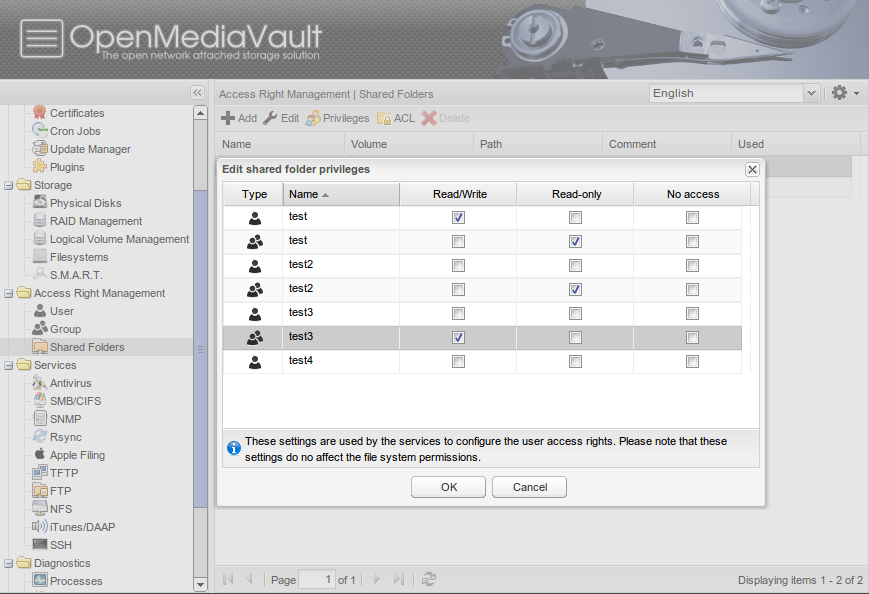
OpenMediaVault is based on Linux. It offers a lot of the same features as FreeNAS and NAS4Free, but being based on Linux it is easier to manage if you are already knowledgeable about Linux. OpenMediaVault leans more towards media sharing than the other NAS systems.

Openfiler is also Linux based but it is targeted more towards the enterprise than home use, so why did I include it. Simple it will still work just fine as a home server but can also be used for a business. Using this at home will give you the opportunity to learn about enterprise level storage. 

Caution
If you are going to build a NAS, buy new hard drives. Do not just throw a bunch of old drives in your NAS. Hard drives are one of the few parts of an old computer that do wear out. 

Learn about other Operating Systems
Maybe you want to see what is out there besides Windows, Mac OS/X, and Linux. Here you are going into the more technical area. 

The BSDs.

While Linux is a Unix like operating system FreeBSD is Unix. FreeBSD is the most popular and easy to use flavor of BSD. FreeBSD is also the operating system that FreeNAS and NAS4Free based on, showing that it makes an excellent server as well. 


NetBSD's big claim to fame is that it runs everywhere. It does not have as large of a community as Free BSD but it's portable nature means that it is a great operating system to study for educational reasons. If you want to get into the nuts and bolts of computer science or if you need to run Unix on your toaster this is the operating system for you.

OpenBSD is all about security. That makes it a great choice for servers, firewalls, and routers. It is not the most user friendly system. Okay it is not user-friendly at all it is designed to be used by professionals. On the good side it is well documented so you are willing to put forth the effort you can learn it. 

DragonFly BSD
DragonFly BSD is all about advanced features it is also the youngest of the BSDs and probably the least popular but it is really interesting. 

Let's get wild and crazy
So far we have been looking at the Unix like free operating systems but there are some really wild ideas floating around that you can try out. I would not use these for doing anything real. These are wild and crazy operating systems that are bold experiments. Expect them to crash, not work, and in general be a challenge. They may not even install! In other words this if a full on super geek tech kind of thing to do. 

ReactOS is an attempt to make a Windows compatible operating system. It is not in anyway Unix like and it is not a Windows clone but a whole new operating system that can run Windows Software.

Haiku is a free open source operating system based on the very interesting BeOS from the 1990s. Again it is not Windows and it is not Linux but something totally different. 

From the Menuet website. Menuet isn't based on other operating system nor has it roots within UNIX or the POSIX standards. The design goal, since the first release in year 2000, has been to remove the extra layers between different parts of an OS, which normally complicate programming and create bugs.

AROS is an attempt to make a an operating system that is compatible with AmigaOS. 

Plan 9 from Bell Labs
Plan 9 was created by the same people that created Unix at Bell Labs in the late 1960s. Unix has become the basis of most modern operating systems. Some are actual Unixes like Solaris, AIX, HPUX, Mac OS/X, and the BSD family of operating systems while Linux is a Unix like operating system but still inspired by Unix. Plan 9 was supposed to be the new Unix. It is a fully distributed operating system. 

Robot Operating System
This one isn't really an operating system as much as a flavor of Linux but it is just too interesting to leave out the wild and crazy section. ROS is just what is says it is, an operating system for people that want to build and program robots. 

This is just a taste of what is out there
It is a wonderful time to be into computers. You can download the same free operating systems that are used by Google, IBM, and Oracle. You can build servers or workstations out of old cheap computers with little to no cost.  You can try out any of this software without spending any money. You can go the practical and easy root with Linux. You can create your own NAS with FreeNAS, NAS4Free, or OpenFiler or you can go wild and crazy with Plane 9. Who knows, Maybe you will create a NAS that runs Haiku or a router that runs Plan9. You could create the next big thing.


Saturday, January 18, 2014

Random Thoughts: Net Neutrality, Yes it is important to you.

Net Neutrality is important to you even if you don't know it.

My goal is present a simple explanation of Net Neutrality.

What does net neutrality mean?
Net neutrality means that you can go to any website you want to on the internet. It also means that if you run a business or create a website your customers can get to your site as easily as they can Google or Netflix.

What the Internet Service Providers (ISPs) want?
What they want is to charge popular websites for the traffic they generate. They want to end the "free ride" that they say Google, Apple, Netflix, and Amazon are getting. Or as an option they want to charge those services so that you can get to those sites faster.

Why it is not a free ride. 
You as the customer are paying for your Internet access from your Internet Service Provider. Isn't the reason you are paying for the internet is so that you can access those websites and services?  Those websites pay to connect to the internet just as the ISPs pay to connect to the internet, the free ride is a myth.

Why not let the free market decide?
Simple, there isn't a free market. How many choices do you have for high speed internet access? Most people only have one or if they are lucky two choices for internet access. It is not like you have ten choices. When a utility is a de-facto monopoly then it must be regulated. 

How bad could it get?
How would you like it if your internet service provider treated the internet like it does cable TV? Imagine that you had to pay for websites like you do for TV channels? Sorry but you can not have Netflix unless you pay for a package that includes Golf.com and Vegancooking.com. You want to watch YouTube in HD? Okay that will be an extra $20 a month for the HD version of the website. Want to go to BBC.com? Oh I am sorry but we don't "carry" that website.  Your customers can not get to your companies' website? Well that is because you are not paying the ISP to "carry" your website.
If you think this could never happen, I have one question for you. How much do you trust your cable TV company? Comcast, Time Warner and CableVision are the largest ISPs in the US. Doesn't that little fact make you feel good about a world with out net neutrality? I can honestly say that it scares the daylights out of me. At some point I really need to write a post about how deeply messed up the Cable TV industry and TV in general are but that would be a book.

We have to keep the Internet from being broken.
The Internet has changed the world faster than any technology in history. It is as important as the printing press. Freedom of the press was so important to freedom that the founding fathers put protections for the press and free speech in the constitution so shouldn't we put some regulation in place to keep the internet working the way it has been?

You are just a left wing liberal that wants to kill free enterprise with regulations. 
Well that is funny since I probably lean a bit to conservative side. The issue here is that ISPs have been granted "franchises", access to right of way, and even government funds to build out their infrastructures, they are, for all practical purposes government supported monopolies. Take a look at the massive profits the cable companies/ISPs make and then ask yourself this question. If this business is so profitable why are there so few companies competing?  Simple answer is that they can not compete. Is there any more clear sign of a monopoly than a market with extremely high profit margins and few companies competing?  There is no free market working here. 

For more information
I have just given a quick overview of net neutrality. It may even be over simplified so here are links that go in greater detail so you can read them and decide for yourself.

Read all you can and then make up your own mind. 


Places to see in Florida: Bok Tower Gardens


Bok Tower Gardens in Lake Wales, Fl.
My first vist to Bok Tower was when I was 10 or 12 years old, my family stopped on our way home from Cypress Gardens. Back then when you look out from the top of Iron Mountain you saw nothing but Citrus Groves for miles and miles. Today you will see citrus groves but you will also see a lot of new subdivisions.  The view is not what it used to be but it still is a nice view and the gardens are still beautiful. 

History.
Bok Tower Gardens was a gift to the American people by Dutch immigrant Edward W. Bok publisher of "The Ladies Home Journal and his wife Mary Louise Curtis Bok founder of the Curtis Institute of Music. The Gardens started as a bird sanctuary but grew in to a botanical garden as well as a bird sanctuary, today Bok Tower Garden is involved with saving endangered plants as well as hosting weddings, art shows, and concerts. 

The Singing Tower.
The tower contains a 60-bell carillon, daily recitals are played at 1:00pm and 3:00pm daily. 


What to see.

The Gardens

The Singing Tower

The Pinewood Estate

The Pine Ridge Trail.

The view from Iron Mountain.

Yes Iron mountain is only about 290ft above sea level. Florida is so flat that you still get a good view. How flat is Florida? The highest point in Florida is actually the roof of a Hotel in Miami, the highest geological point in Florida is lower than the lowest point in most other states.

Location


Hours.
8:00am-6:00pm (gates close at 5:00 pm)
7 days a week, 365 days a year.

Price
Year-long Admission
Annual Membership Starting at $45
Purchasing an annual membership to Bok Tower Gardens allows you general admission for 365 days from the date of purchase.

One-day Admission
Christmas Combo Admission Adults $20 – Children (5-12) $9
This ticket option includes General Admission and access to a self-guided tour of the Holiday Home Tour at Pinewood Estate.

General Admission Adults $12 – Children (5-12) $3
This ticket option includes admission to the Gardens, Pine Ridge Nature Trail, Preserve Trail and the Visitor Center complex.

For More Information
The Bok Tower Gardens website http://boktowergardens.org/