Thursday, January 9, 2014

Cat Free YouTube Channels: Tech Channels.

From WikiCommons https://upload.wikimedia.org/wikipedia/commons/0/04/Redsilver_Maine_coon_Kittens.JPG

YouTube Tech Channels

There are tech channels that cover just about every kind of tech. The channels that I am going to show you this week are going to be on the more geeky side of tech. These channels will tell about the next hot smartphone or game that is coming out. These channels are about making tech yourself plus a bit of wow that is cool. 

The Ben Heck Show


+Benjamin Heckendorn  became well known for his console mods like his portable Playstation. The channel contains build logs of his projects like a Video Game Controlled Hot Pocket Dispenser or robotic luggage. Don't worry if you do not know anything about electronics because his channel also has tutorials on things like soldering. So if you ever wanted to learn about electronics, this is the channel for you. If you don't, it is still a fun channel to watch just to see the cools stuff he makes. He is also family friendly.

DIY Tryin


+DIY Tryin is a great eclectic geeky channel. Yes it is very new, but the hosts are well known and respected. So far the videos cover subjects as varied as making your own home server to making carbonated anything including eggnog. I do not know where the channel will go but so far I am really enjoying it. So far it is also family friendly.

GeekBuzz


+Nixie Pixel maybe be a pretty face but she is also the very knowledgeable host of +Geekbuzz . GeekBuzz covers the Linux, the gaming space, Open Source, and just about all things geeky. It is always good to see women in tech but I am sorry to say that this channel is PG-13. That does not make it bad but a parent should decide if they want their kids and or teens to watch this. 

Hak5


+Hak5  is all about computer security, hacking, Linux, and all those cool geeky things that you see in the movies but for real. Yes it is family friendly and well done. What I love about this is Hak5 goes deep into the subjects. The hosts +Darren Kitchen and +Shannon Morse are fun, personable and very knowledgeable. 


TWIT's Know How


Know How is the how to show from the +TWiT  network. It is also available as a podcast as well as on YouTube but this is one of those shows that you will want to watch and not just listen. This show covers everything from putting ROMs on your phone to building your own studio. I am sorry to say that the original host  +iyaz akhtar left the show. The current host, +Fr. Robert Ballecer, SJ is great, but I will miss Iyaz. Sine the current host is a Catholic priest it is of course family friendly.

MAKE


Make is the YouTube channel of Makezine. It covers the Maker scene. It covers electronics, robotics, even building furniture. It is a professional channel with high production values and of course family friendly.

These are not the only ones. 
These are just some of the channels I have found and enjoy. So if you know of more geeky channels just leave them in the comments, and I hope you enjoy these channels.

Tuesday, January 7, 2014

Building your own Custom PC: HD gaming for $850

Building Your Own HD Gaming Computer

Last week we built a PC that was targeted at providing a good HD gaming experience for the least amount of money as possible. Today, I am going to build a gaming computer that will provide a great gaming experience for around 850 dollars.

Full HD (1080p resolution) Gaming Computer for less than $850

Price: $848.62 (Price does not include mouse, keyboard, speakers or monitor.  It does take into account shipping and all available rebates.  It also include the cost of the Windows operating system) and can change at anytime.

Today, 1080p monitors are the least-expensive and most common monitors on the market.  My goal with this build was to create a system that will play games well on these standard 1080p monitors as well being a good base for future expansion.

Recommended Case

We have more money to spend on this build and we are going to put more of that money into a better case. Silverstone has been building high quality cases for a very long time. The Silverstone SST-RL01B-USB 3.0 is a good step up from the Cougar Spike I used in the low cost build. So what do you get for the extra ten dollars? Actually, you get a whole lot. You get dust filters for the fans, a CPU cutout on the mother board tray, and space to route your cables behind the motherboard. You will also get two USB 3.0 ports on the front of the case. This case is a full ATX mini tower, so it will be larger than the Cougar Spike and it lacks USB 2.0 ports on the front. With the price hike on the Cougar Spike this case is only $10 more than the Spike, which I feel is $10 well spent.


Pros: Price, USB 3.0 front ports, room for large video cards, large CPU coolers, CPU cutout on the motherboard tray, bottom mounted power supply. dust filters and room for cable routing.
Cons: None at this price point.
Comments: Silverstone is known for making some of the best cases in the industry. This case offers most of the features you would expect from Silverstone but at a very low price point.


Recommended CPU

Today, Intel is the way to go once you are past the low end of gaming. The new Haswell line of CPUs are very power efficient and offer a great expansion path. 


Pros: Haswell duel core. Runs cool. LGA 1150 compatible. Hyperthreading. 
Cons: Not unlocked so over clocking is limited, only dual core, and more expensive than the Athlon X4. 
Comments: You will not see a huge performance increase over the Athlon X4 used in the budget build so why move to the i3? While you will not see a huge jump in speed by going with the i3 over the Athlon X4 you will have a system that runs cooler and quieter. The big advantage is that you can upgrade the CPU to the latest i5 or even i7 without getting a new motherboard.  


Recommended CPU Cooler

Your CPU may or may not come with a heat sink and fan.  If it comes with it, the one thing you can be sure of is that it will not be great.  The Hyper 212 Evo offers great performance for a low price.


Pros: Probably the best cooler for the price.
Cons: Too large for some cases.
Comments:  So we are using a larger cooler with a CPU that puts out less heat. This will keep the noise level down. 

Recommended Motherboard

Not only are we going with an Intel motherboard, but also an ATX motherboard instead of the an mATX like the last build so that there are more expansion slots available. There are less expensive motherboards that we could have used. The i3 CPU used in this build is not over-clocking friendly, so a motherboard using an H87 or B87 chipset would have worked just fine and saved a little money. However, for this build I wanted an upgrade path available. You could change this from a step up gaming system to real powerhouse gaming system by just changing the i3-4130 for an i5-4670k which is over-clocking friendly. Or if you need even more power for video editing you could install an i7 cpu and up to 32 gigabytes of RAM. You can get the the same motherboard as an mATX if you want to build a smaller version of this computer. For an extra $20 or so you can get the ASRockZ87 Pro4 which supports Crossfire and SLI, if you want that option in the future.


Motherboard: ASRock Z87 PRO3 ($94.95 @ Newegg) 
Pros: LGA 1150, lots of SATA ports, four ram slots, 7.1 audio, and Z87 overlocking friendly chipset.
Cons: Does not support Crossfire or SLI so limited to a single graphics card.
Comment: A good over-clock friendly LGA 1150 motherboard. 


Recommended Memory

When you are looking at memory you are looking at how much and how fast.  I went for 8 GB of ram for this build which may be a luxury. I have not found any game that requires more than 4 GB of memory.  A few games are now recommending 4 GB of RAM, so 8 GB should be a good amount for now.  Modern CPUs use multiple memory channels.  What that means is that they will run faster if you use two sticks of memory.  For that reason I went with two 4GB of ram for the best compromise between speed, size, and cost.  Finally go with memory from a good, well known company.


Memory: GeIL EVO Veloce Series 8GB ($66.99 @ Newegg)
Pros: Good value for the money.
Cons: The large heatsinks could cause problems with large CPU coolers.
Comments: Good fast memory for the money.

Recommended Mass Storage

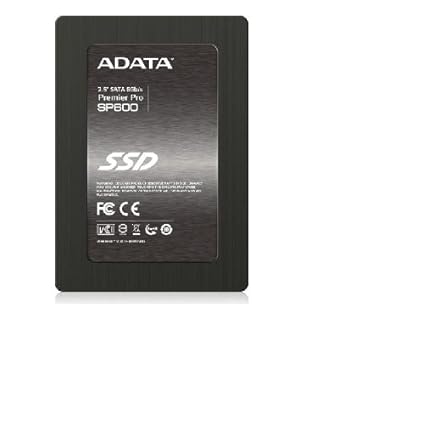
Now that we are not going for the cheapest, we can have an SSD for the OS and games to boost your speed and a second hard drive for storing music and video. 


Pros: It is an SSD.
Cons: It is not the best SSD, but it will be fast and offers good value. 
Comments:  Adding an SSD is one the best bang for the buck improvements you can do for you PC. 


Pros: The Caviar Green line offers a low power hard drive for a good price.
Cons: Not much is wrong with this drive. You may want to buy a two or three TB drive.
Comments: Probably one of the most popular drives market.

Recommended Graphics Card

This is a gaming computer and the graphics card will in large part drive performance in games.  Today there are two companies that dominate the graphics card industry, AMD and nVidia.  Both companies make great GPUs.  They both have a number of GPUs at a number of price points.  You can spend a thousand dollars on a graphics card and even use two, three, or four graphics cards.  If you are only going to use one 1080p monitor for gaming, there is no need to go to such extremes and costs.


Pros: Great performance at 1080p, good support for Linux, good OpenCL performance.
Cons:  Not supported under the beta build of SteamOS.
Comments: AMDs new family of graphics cards offers a great price to performance ratio and offer much better OpenCL GPU compute performance than cards from nVidia. The lack of SteamOS support should only be temporary. 


Recommended Power Supply

Do not cheap out on your power supply. A bad power supply can destroy other parts of your computer.  The keys to choosing a good power supply are will it supply enough power and is it from a good company. The 80 plus bronze efficiency means that this power supply has been tested and does not waste power. So this power supply is powerful enough for this build, is from Corsair which is a good company with a good reputation, and is 80 plus efficient. In other words we are picking a slightly bigger and better power supply from the same manufacture.


Pros: Great price, Bronze 80+ efficient,  and modular.
Cons: It is only 500 Watts
Comments: The extra power that this power supply gives you a bigger margin and the modular cables will help you keep your PC tidy.


Recommended Optical Drive

A lot of people do not use optical drives in their systems.  The problem is that unless you have some way to make a USB Windows install disk and/or you like to buy games on DVD instead of downloading them from Steam, having a DVD drive makes your life easier.  If you have an old optical drive from an older system you can put it in and save a few bucks.  Or you could buy a Blu-ray drive and have the option to watch your Blu-rays.

Optical Drive: LITE-ON DVD Burner ($17.99 @ Newegg)

Recommended Operating System

I am not a fan of Windows 8, but Windows 8.1 is a big improvement over Windows 8 and if you want to be able to play the widest variety of games, you will need to use Windows.  The only bad thing is the cost.  Windows is now more expensive than the motherboard.  Ubuntu, and LinuxMint are options for those that are brave. Your selection of games will also be much smaller but the price is free. 


Conclusion

This computer is a bit more expensive than the budget computer from last week. What you get is a much better case that will make your computer look better, run better, and will be much easier to build. You also get an SSD which will make the system run much faster, a slightly faster CPU, and a better graphics card. Of course nothing is written in stone so if you want to you could use the motherboard and CPU from the budget build with the case, video card, SSD, and power supply from this build to save a little money.

Some sites that can help you pick the right parts for your own custom PC are 

Podcast Picks: Cordkillers

Cordkillers


+Cordkillers is a podcast about living without cable tv. There tagline is, "Watch what you want, when you want, on any device you please". Each show is composed of several segments. The show is fun and well produced. The hosts +Brian Brushwood and +Tom Merritt are personable, entertaining, and knowledgeable.  

Scorecard
The Rating uses G, PG, PG-13, and R while the other categories use A for the best that I know of,B for good but others might be better,C is average, D below average, and F is just terrible. 
  • Rating PG Little kids will probably not like this show but there is nothing wrong with the language or content. Brian Brushwood is a father with small children. He knows the importance of parental controls on streaming services and covers those as well as child friendly content. 
  • Quality A  +Tom Merritt and +Brian Brushwood have been podcasting for years. The production value is high and the content well thought out. 
  • Community A The community around this podcast is one of the best on the Internet. It actually seems pretty friendly and troll free. 
  • Depth A The show does a good job of covering both "New Media" and television and movies. 
  • Entertainment Value A It is a fun show to watch or listen to as a podcast. The hosts take what could be a dry subject and present it in an interesting and fun way. 
  • Overall A I listen to this show every week and even donated to the funding  for the show. 


A Little History

Cordkillers is a new show with a long history. Tom Merritt and and Brian Brushwood were hosts of a cord cutting show on the TWiT network called Framerate. When TWiT decided to not renew Tom Merritt's contract, he and Brian Brushwood used the show's format, with some revamping, to create Cordkillers. 

How do I feel about this show.

My wife and I were big fans of Framerate on the TWIT network. You can read more about Framerate in the section called A Little History. Cindy and I were very unhappy when the show ended and very excited when Cordkillers started a few weeks ago. Cordkillers is a great replacement for Framerate and a great source for news on the subject of cord cutting. AKA going without cable TV. The only area that this show does not cover well is the use of over the air TV aka using an antenna.  So yes, you should watch this show how you want, when you want, and on whatever device you want.

How to get the show

You may watch Cordkillers on YouTube, you can download and/or subscribe to the show from the Cordkillers website.


Monday, January 6, 2014

Favorite Websites: Space.com

Space.com


As a big fan of all things techie, Space.com has become one of my favorite sites to check in on every day.  It covers several aspects of space exploration including Astronomy, Tech, Spaceflight, The Search for life, and even entertainment. 


Scorecard
The Rating uses G, PG, PG-13, and R while the other categories use A for the best that I know of,B for good but others might be better,C is average, D below average, and F is just terrible. 
  • Rating G Space.com is suitable for the entire family.
  • Quality A Space.com is a very reliable source. You will not see things about UFOs or other questionable stores, the images are often stunning, and the articles are well written.
  • Unbiased A The site while pro space is willing to give both sides of the story when it comes to manned vs robotic exploration.
  • Community C Space.com's community is only average which means you should really skip the comments and stick with the content from Space.com.
  • Depth B Space.com articles are at the Popular Science level of depth. That is not bad thing as it makes them very accessible and since this is the internet you can always dive deeper into the subjects you learn about with a simple Google search.
  • Overall A Space.com is a great place to go for all your space news.

Sunday, January 5, 2014

Places to See in Florida: Fantasy of Flight in Polk City

Fantasy of Flight

Florida, the land of tourist attractions

I was born in South Florida and have been to lots of attractions in my lifetime. Some are really cool and some are just tourist traps. I will be skipping the super well known ones, like Disney because every one knows about them, as well as the super bad ones.

Fantasy of Flight


Fantasy of flight contains the largest private vintage aircraft collection in the world and the best part is that most of them are in flying condition. The number of times you will hear or read the phrase, "the only flying example" is mind boggling.

What to do

Viewing the collection of aircraft from 1910 up through 1959 isn't the only thing to do at Fantasy of Flight. Fantasy of Flight also has a a number of educational exhibits about the history of flight. Remember when I said most of the exhibits are airworthy? Weather permitting they have daily flight demonstrations.  Imagine seeing a famous Fokker DR1 triplane, like the one the Red Baron flew, flying with your own eyes or maybe a GeeBee air racer from the 1930s or the only flying B-26 Marauder. You can also take a tour of the workshops where they restore these old aircraft.

The details

Location

Hours

Thursday through Sunday 10am to 5pm.

Price

Adults (13+)     $29.95
Children (6-12) $15.95
Click here for the latest prices.

For more info

The Fantasy of Flight website http://www.fantasyofflight.com/
The Fantasy of Flight YouTube Channel https://www.youtube.com/user/FantasyOfFlight

Saturday, January 4, 2014

Podcast Picks: Introduction to podcasts.

Follow my blog with Bloglovin

Introduction to Podcasts

Podcasts have been around for several years but many people have never listened to them.  Podcasts are great because no matter what your interests are, it is very likely you will find a podcast on that subject.  Cooking?  Radio Controlled model aircraft?  Programing in Java?  Quilting?  I have found podcasts for all of those subjects.

What is a podcast?

Podcasts are audio and/or video shows you can download to your media player, smartphone, or tablet.  They cover just about any subject you can imagine and are usually free.

How do I get podcasts on my device?

Simple, you use an app called a podcatcher. I will start with the free apps first.
iOS: Podcasts from Apple.
Android: Stitcher Radio or if you want something simple OneCast.
WindowPhone: Podcasts!
The podcatcher I use is Pocket Casts from +Shifty Jelly. Pocket Casts works on both IOS and Android but it is not free. Pocket Casts is a really good app and I plan on doing a full review at some point in the future. If you are on Blackberry just search the apps store. You can of course listen to podcasts on your PC or download them to your PC and put them on a media player like an iPod Nano.

Where do I find podcasts?

Podcast apps will have a directory of popular podcasts and that will be the simplest way to get started.  If your favorite website happens to do a podcast, they will often have links for you to subscribe.  Some of your other options are a google search for example, Cooking Podcasts for example.  Another option is a directory like http://www.audio-podcast.fm/.

Video or Audio?

That is up to you.  I happen to like audio only podcasts because I listen to them while driving, riding my bike, mowing the lawn and so on.  They also take less space on my device and take less time to download. Some shows are really best when you watch the video.  The good news is that often you can watch those on YouTube in addition to downloading them to your device.

Where to start?

Look at your podcast apps list of podcasts. A good first podcast is NPR's 7am News Summary, it should be in the library of any good podcast app.

What is to come?

I am planing on spotlighting some of my favorite podcasts that cover a variety of subjects, so stay tuned. And if you find any really good podcasts leave me a comment.

Friday, January 3, 2014

Cat Free YouTube Channels: Cars & Motorcycles

YouTube channels that do not involve cats or puppies.

Yes, there is actually good programming on YouTube if you can find it.  And I aim to help you do just that.  Today, we are going to take a look at channel on one of my favorite topics, cars and motorcycles.  Here are some of my favorite YouTube car and motorcycle channels.

Let's get started with my number one pick for automotive channels.

The Fast Lane Car


I have to admit that +The Fast Lane Car is my favorite automotive channel on YouTube. Roman and Nathan test cars and SUVs in the real world. They live in Colorado and when they test an SUV, they take it off road and I mean really off road.  Being from Florida, I do not worry much about ice and snow but I still get a lot out of their reviews. The best part is they seem like a group of people that you would really like to know.

Another great channel comes from a person with whom you are probably very familiar.

Jay Leno's Garage


Jay is an entertainer that loves his cars. This channel is extremely well produced and frankly just a lot of fun to watch.

The next channel on my list come from a big player in the world of automobiles.

MotorWeek


MotorWeek is a long running car show and the YouTube channel seems to come right from the show. It is accurate, well written, and well produced.  

My next choice comes from another one of the big boys.


The Motor Trend channel has shows from several of the vehicle based magazines in the Motor Trend family.  My favorites are Roadkill from Hot Rod magazine, Dirt Everyday, Head2Head, and On Two Wheels.

No, I haven't forgotten the motorcyclists.  Here's a channel just for you.

Motorcycle.com


Motorcycle.com is a great website for motorcyclist.  They now have a video channel and I think it is well worth watching.

Of course the last two channels are just a given, Top Gear and Top Gear USA, but come on those are just too easy.

So much really good content, but so hard to find.

That is the problem with YouTube. This list is not every good car or motorcycle channel on YouTube. If you know of other please leave feedback, so I can add them to my list.